One planning command center, built for real classrooms
Plan, differentiate, generate resources, reflect, and track patterns, all in one place.

Every lesson, built around your actual classroom
Auto Classmate takes your ELL, IEP, 504 and gifted students, your reading-level spread, your teaching style and every reflection you've logged, so every lesson feels like one you would have written yourself.
Class profiles
Tell the AI about your ELL, IEP, gifted, and struggling students once, and every lesson adapts automatically.
Standards aligned
CCSS-ELA, CCSS-Math, NGSS, C3, WIDA, CASEL, ISTE and more, baked in. Every lesson is tagged, unpacked, and ready to defend in an observation.
Learns from your reflections
Log a 30-second reflection after each lesson. The AI spots pacing patterns, engagement trends, and adjusts future lessons automatically.
From signup to first great lesson in under 5 minutes
Build your class profile
Takes 2 minutes. Tell the AI about your ELLs, IEPs, reading range, and teaching style. This happens once, and the AI uses it forever.
Generate your first lesson
Pick a standard or topic, hit generate. The AI pulls in your class profile, targets the right DOK level, and produces a fully differentiated plan.
Reflect in 30 seconds
After class, log a quick reflection. The AI spots patterns across your reflections and adapts future lessons automatically.
A full plan, written the way you teach
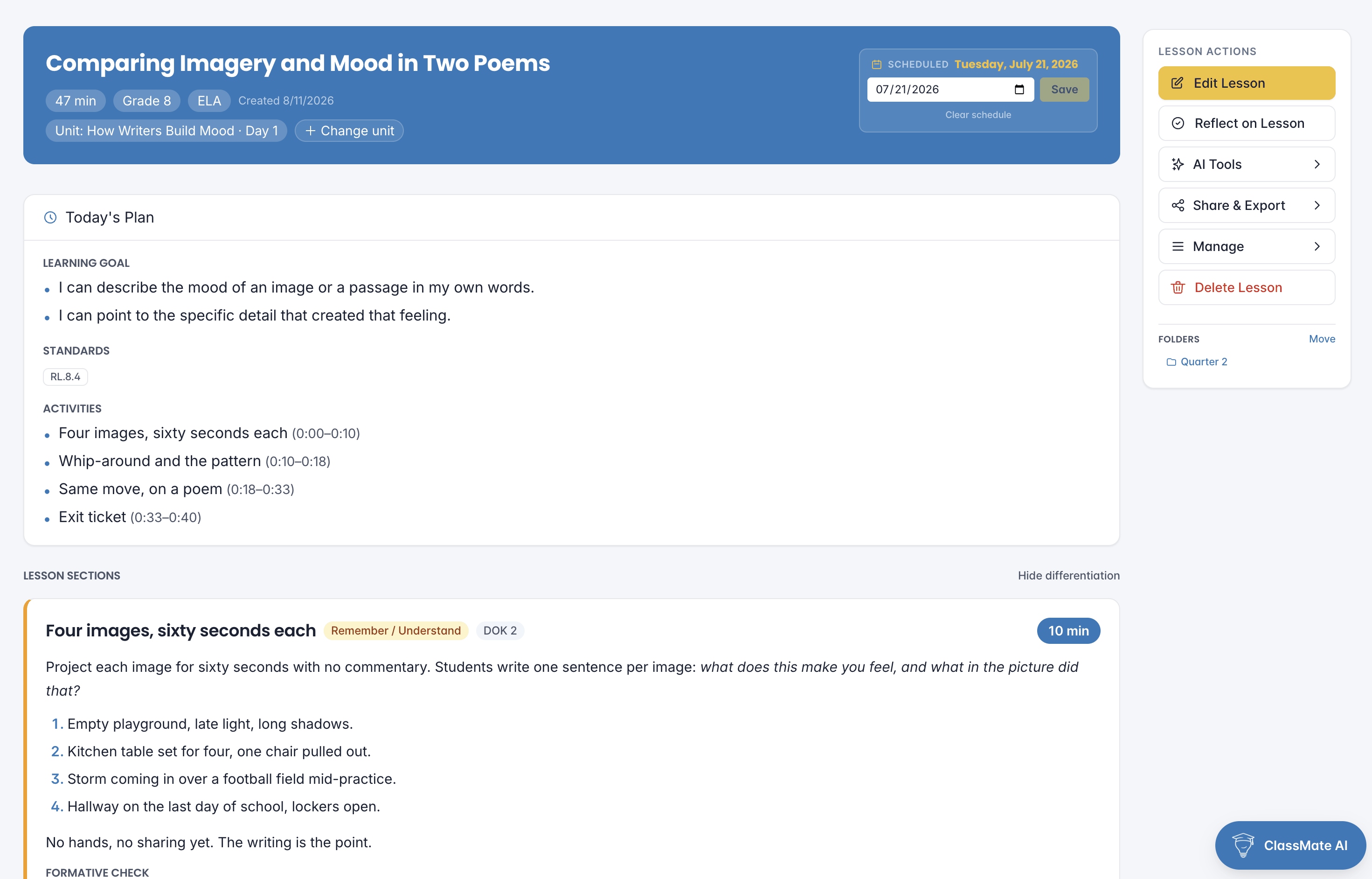
Give it a standard or a topic and it writes the whole thing: an opening that earns attention, guided practice, independent work, a check for understanding, and the materials list to pull before first period. Every section already accounts for who is in the room.
Timed, section by section
Each part of the lesson carries its own minutes, so a 47-minute period is planned as 47 minutes rather than rounded to an hour.
Differentiation written in, not bolted on
Scaffolds, extensions and language supports appear inside the section they belong to, named for the students who need them.
Edit any section, keep the rest
Rewrite the hook without touching the assessment. Regenerate one section at a time and the plan stays yours.
Every student, already in the loop
Build a class profile once (ELLs, IEPs, 504s, gifted learners, reading-level spread, classroom climate) and every lesson you generate from then on is automatically differentiated for that exact group.
ELL, IEP, 504, gifted tracking
Accommodations and enrichment for every group in your room, named in the plan: the specific scaffold, for the specific readers.
Reading-level spread
The AI matches vocabulary and text complexity to your actual range, not your nominal grade level.
Per-period profiles
Different classes, different profiles. Switching periods is one click, and the AI re-differentiates instantly.

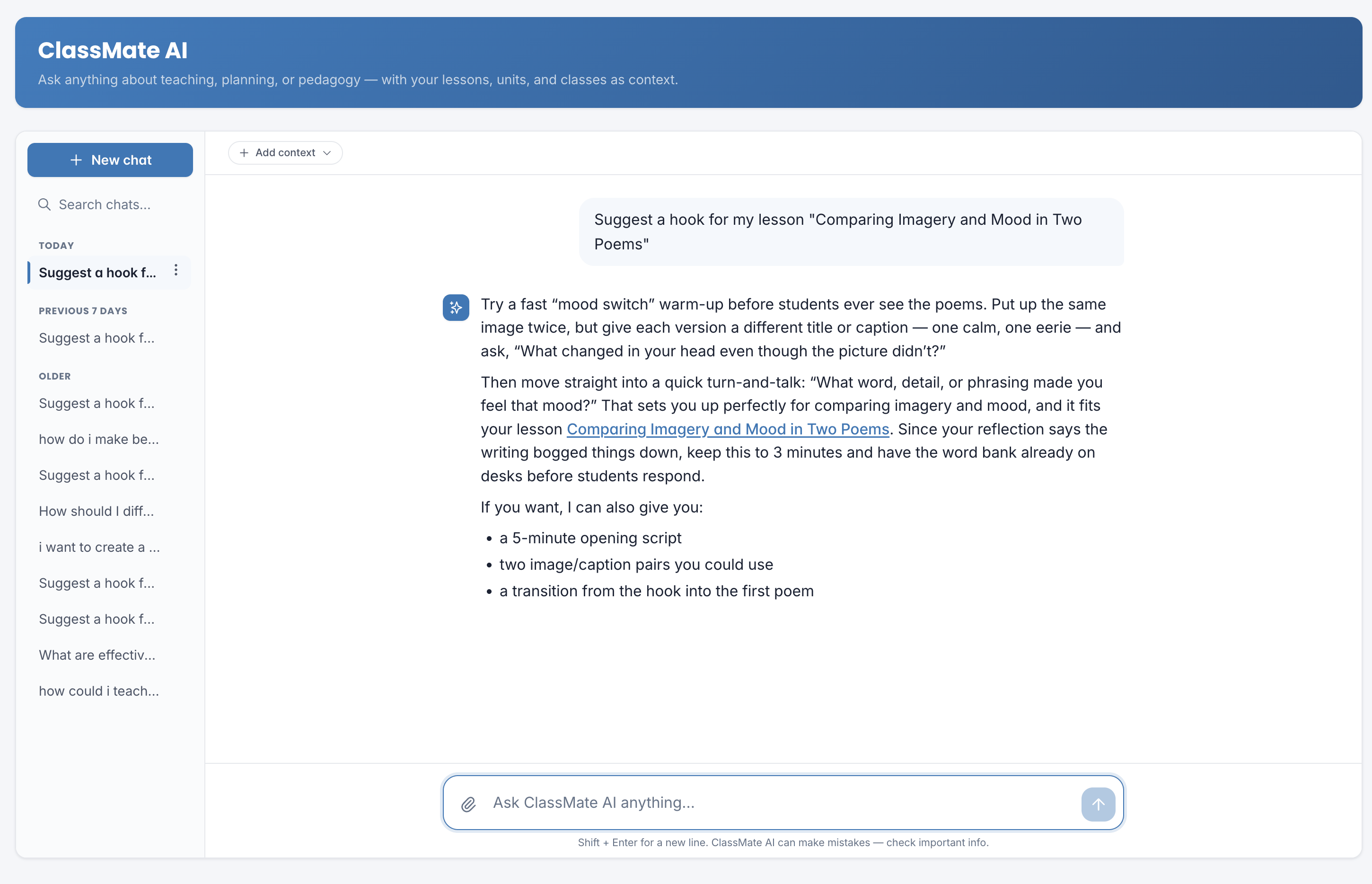
A co-teacher that never sleeps
ClassMate AI knows every lesson you've written, every reflection you've logged, and every class profile you've built. Ask it to revise a lesson, brainstorm a unit, or coach you through a rough day. It shows up with full context.
Context-aware, not hallucinated
References your actual lessons and classes — and is instructed never to use or invent a student name. No fake standards.
Multi-turn memory
Keep the conversation going. Follow-ups land exactly where you left off, across sessions.
Trained on your style
Learns your preferred format, pacing, and voice. The more you use it, the more it sounds like you.
Plan a whole unit in 60 seconds
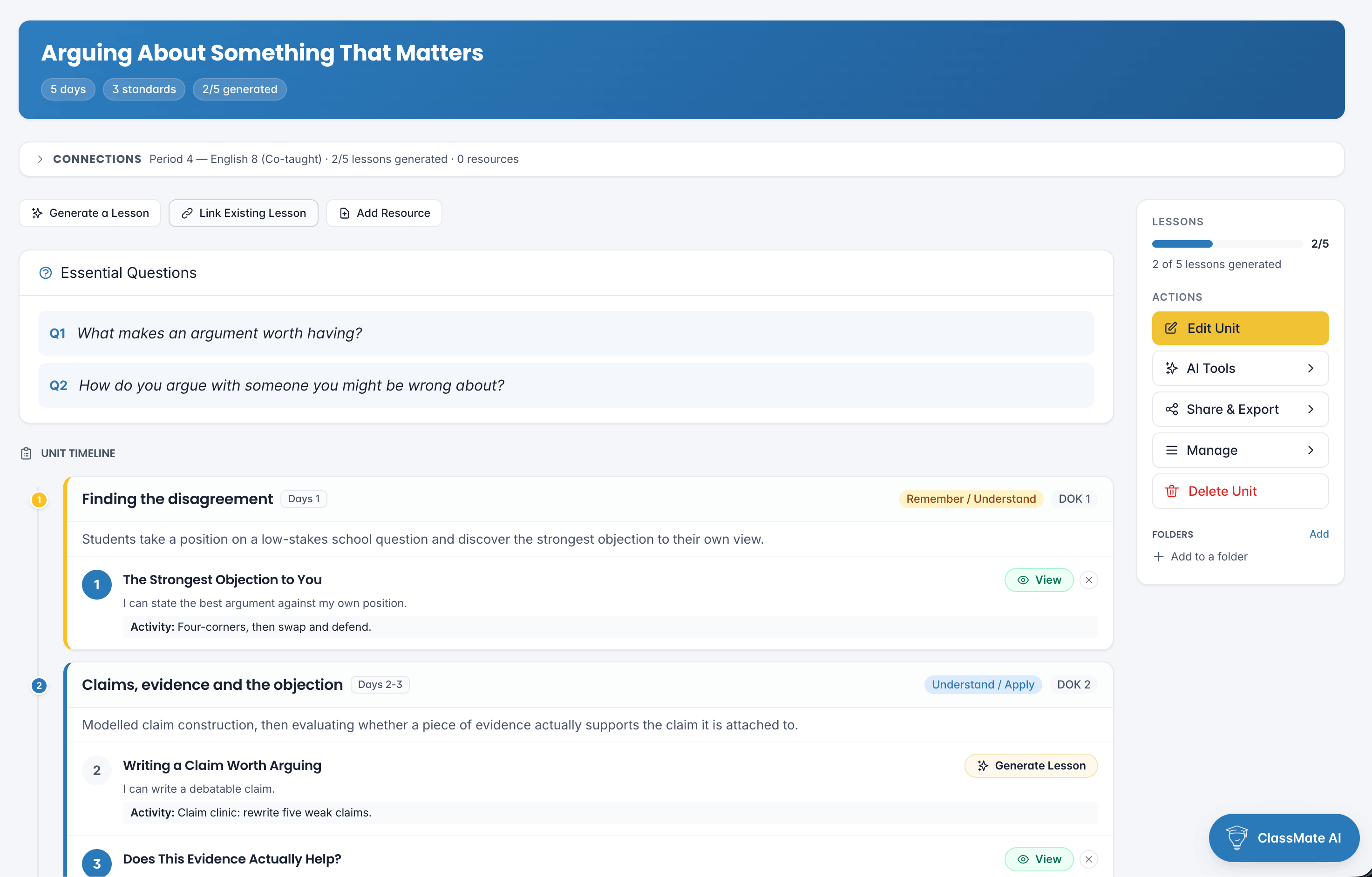
Pick a unit length, drop in your standards, and the AI maps out a pacing arc: hook days, guided practice, independent work, synthesis, assessment. Each lesson slot is pre-linked to the right standards and ready to generate.
Standards unpacked into targets
CCSS-ELA, CCSS-Math, NGSS, C3, WIDA, CASEL, ISTE, ACTFL, NCAS and SHAPE, all pre-loaded and unpacked automatically.
Visual pacing arc
See hook → guided → synthesize → assess at a glance. Drag-and-drop to reorder.
Regenerate any day
Didn't like Day 4? Regenerate just that lesson. The rest of the unit stays intact.
Try our free tools, no account required
Each tool does one thing, really well. When you're ready for the full platform, every paid plan is backed by a 7-day money-back guarantee.
AI Lesson Plan Generator
Generate a full, differentiated, standards-aligned lesson plan in seconds.
Try it free →Lesson & Activity Forecast
Paste any lesson and get a realistic preview of how it'll play out in class.
Try it free →Lesson Enrichment Toolkit
Extensions, reteach options, and a choice board for any objective.
Try it free →Activation & Engagement Generator
Three role-based engagement activities that hook students into any topic.
Try it free →Would You Rather Generator
Five content-specific "Would You Rather" questions for warm-ups or discussion.
Try it free →AI Instructional Coach
Ask a coaching question and get research-backed, classroom-ready advice.
Try it free →Differentiation Planner
Paste any lesson and describe your class, and get ELL, IEP, gifted, and struggling modifications tied to named activities.
Try it free →Standards Unpacker
Enter any standard code and get I-can targets, prerequisite skills, misconceptions, and a Bloom's/DOK progression.
Try it free →Exit Ticket Generator
Three exit tickets at different formats, with answer keys and 3-level scoring rubrics. Ready for tomorrow.
Try it free →Everything you want to know
Is Auto Classmate actually different from ChatGPT?
Will it actually save me time?
What standards does it support?
Is my classroom data private?
What if it isn't right for me?
Can I use it with my existing LMS or gradebook?
What should a lesson plan include?
How do you differentiate one lesson for ELL, IEP and gifted students at the same time?
What is the difference between Bloom's Taxonomy and Webb's Depth of Knowledge?
How do you unpack a standard into learning targets?
Ready to build lessons that fit your classroom?
Unlimited lessons, class profiles, resource generation, unit planning, ClassMate AI, and reflection intelligence. Backed by a 7-day money-back guarantee.
Get Started