Where should a teacher actually start with AI?
 Auto Classmate
12 min read
Auto Classmate
12 min read
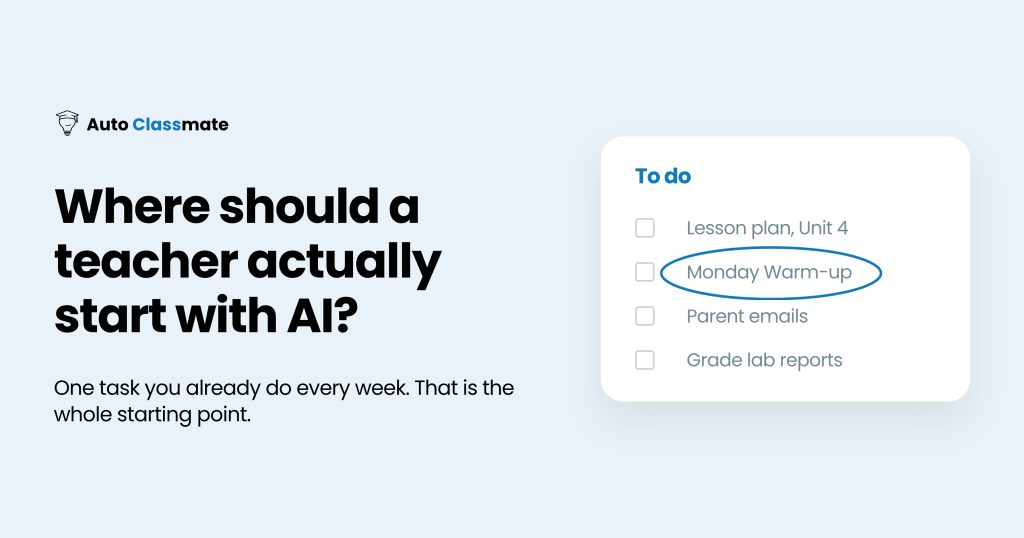
Start with one task you already do every week and wish took less time. Maybe it’s writing exit tickets, coming up with warm-up questions, or drafting another parent email after a long school day. Pick something small, give an AI tool a chance to help, and see whether the result is actually useful.
If you’re a teacher trying to figure out where AI fits into your work, you don’t need to learn everything about it before getting started. Try it with one familiar task. See what works, make adjustments, and try it again the following week.
You already have enough on your plate.
A lot of the conversation around AI in education assumes teachers have been given the training and resources to figure all of this out. In reality, many haven’t. A nationally representative Gallup and Walton Family Foundation survey of 2,069 teachers, reported by Education Week in May 2026, found that 82% of teachers have received no formal guidance on how to apply AI to their work, and 34% have received no guidance at all.
If that sounds familiar, you’re in good company. And if you’ve been curious about AI but haven’t known where to begin, there are some practical ways to get started using what you already know about teaching.
Why should teachers start with one task instead of a big rollout?
Think about how much of your planning time goes toward things you do over and over again. You might be teaching different content each week, but you’re still making worksheets, preparing assessments, and finding ways to introduce new material.
Those recurring responsibilities are a good place to explore AI because even a few minutes saved on something you do regularly can make a difference.
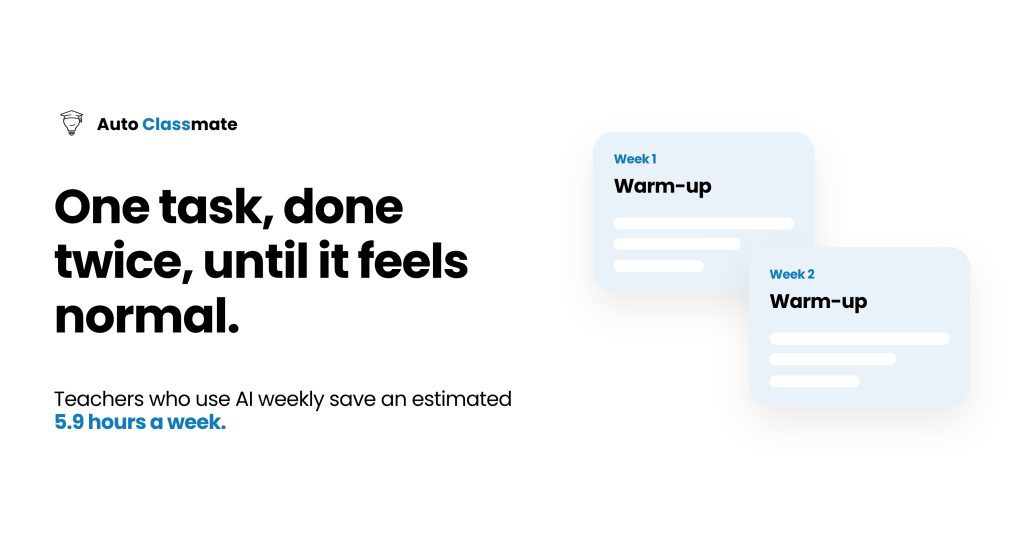
In the Gallup and Walton Family Foundation study Teaching for Tomorrow, published June 2025, teachers who used AI at least weekly reported saving an estimated 5.9 hours per week. Across a school year, that’s the equivalent of about six weeks. Teachers who used it monthly reported saving considerably less time.
That’s a meaningful amount of time, especially when you consider how much work teachers regularly take home.
Starting with one task also makes it easier to evaluate whether AI is helping. If you ask it to write an exit ticket, you can quickly see whether the questions match your objective, whether the difficulty is appropriate, and whether the answer key is correct.
You know what your students have learned so far. You know which concepts they’re struggling with. And you’ve probably written enough exit tickets to recognize when one needs work.
The same study found that a majority of teachers who used AI for a given task said it saved them time, ranging from 60% to 84% depending on the task. The strongest results were for making worksheets and activities (84%), making assessments and exit tickets (83%), and preparing to teach (80%).
If you’re looking for somewhere to begin, those are promising places to start.
What is the best first task to try with AI?
Think about your upcoming week. What’s something you already know you’ll need to prepare that usually takes more time than you’d like?
Maybe you need five warm-up questions for a lesson you’re teaching on Friday. Maybe you’re adapting a reading passage for students working at different levels. Or perhaps you need a few sentence stems to help students get started on a written response.
Any of those could be a good first task.
Ideally, choose something you do regularly and feel comfortable reviewing. You’ll have a much easier time evaluating a familiar classroom activity than an entire unit generated from scratch.
Here’s a look at a few tasks worth trying:
| First task | Why it is a good starting point | What you still control |
|---|---|---|
| Exit tickets | Short, you write them constantly, errors are obvious | The standard, the DOK level, the answer key |
| Warm-ups and hooks | Low-stakes, easy to swap if it flops | Whether it fits your class and your objective |
| Sentence stems and scaffolds | Repetitive, benefits your ELL and IEP students | Which students get which support |
| First-draft parent emails | Time-consuming, formulaic, you edit anyway | Tone, specifics, the final send |
| Reading-level versions of a text | Tedious by hand, fast for AI | Accuracy, that the meaning survived |
You probably have a pretty good idea of which of these would be most useful in your own classroom.
Whatever you choose, treat the result the same way you would any instructional material you find online. Read through it, make it your own, and decide whether it’s appropriate for your students.

How do you actually start, step by step?
You can try your first AI-assisted teaching task in about fifteen minutes.
For your first attempt, use something you’re already planning to teach this week. That way, you’ll have a clear objective and a pretty good idea of what the finished material should look like.
1. Choose one specific task.
Instead of asking AI to help plan your math lessons, ask it to create an exit ticket for Thursday’s lesson on linear equations.
You’ll get a more useful result when you’re specific about what you need.
2. Think about what a good result would look like.
You already do this when you’re planning lessons. Consider what students should be able to demonstrate, how challenging the activity should be, and what a successful response would include.
Having those expectations in mind makes it much easier to evaluate what AI generates.
3. Give the tool some classroom context.
Include the grade level and learning objective. You can also specify the format you want and any relevant instructional constraints.
For example, if your students are reading two grade levels below the text you’re working with, explain that. If you need a warm-up students can complete independently in five minutes, say so.
The more relevant information you provide, the more useful your first draft is likely to be.
4. Read through the result and make changes.
Check the questions and answers. Make sure the activity addresses what you’ve actually taught.
You might need to simplify the wording, adjust the difficulty, or replace a question that doesn’t quite work.
That’s normal. You’re reviewing instructional materials the same way you always have.
5. Try it with your students.
Pay attention to how the activity works during class. Did students understand the directions? Were the questions appropriate? Did you end up making changes on the fly?
Your experience using the material will help you decide what to request next time.
6. Try the same task again.
The following week, create another exit ticket or warm-up using what you learned from the first attempt.
You’ll probably have a better idea of what information to provide and what changes you’ll need to make.
Give yourself some time to get comfortable with one use before adding more. There’s plenty you can accomplish with just a couple of recurring tasks.
What should a teacher never hand off to AI?
There are decisions you make throughout the school day that depend on knowing the students sitting in front of you.
You know which student needs directions explained a different way. You know how much background knowledge your third-period class has compared with your first. You can recognize when an activity that looked great during planning needs to be adjusted halfway through the lesson.
That understanding comes from working with your students every day.
AI-generated materials still need that level of attention, particularly when you’re making decisions about learning objectives, accommodations, or individual student needs.
For starters, you should remain responsible for choosing the standards and objectives you’re teaching. AI can help develop materials aligned with those goals, but you should be the one determining what students need to learn.
You should also be careful with student information. Avoid entering names, identifying details, or educational records into general AI tools.
And before using anything AI generates, review it for accuracy and instructional quality. A worksheet can look perfectly reasonable while containing incorrect answers or questions that don’t assess the intended skill.
There’s good reason to be cautious. In the Center for Democracy and Technology’s 2025 report on AI in schools, about a quarter of teachers (23%) reported an AI system failing to work as intended during the school year.
As with any resource you bring into your classroom, you need to know what you’re giving your students.
How is a purpose-built teaching tool different from a general chatbot?
If you’ve experimented with a general AI chatbot, you’ve probably noticed how much information you sometimes have to provide to get the result you want.
You explain what grade you teach, identify the standard, describe your students’ reading levels, and specify the kind of activity you’re trying to create.
Then, depending on the tool and its memory features, you may have to explain much of that again the next time you need something.
Teaching involves a lot of context that can be difficult to communicate in a single prompt.
That’s where tools designed specifically for teachers can be helpful.
Auto Classmate, the platform behind this blog, was built around the information teachers already consider when planning instruction.
You can create structured class profiles that account for ELL, IEP, 504, and gifted student needs, along with reading levels. The platform also includes ten built-in standards frameworks (CCSS-ELA, CCSS-Math, NGSS, C3, WIDA, CASEL, ISTE, ACTFL, NCAS, and SHAPE) that help turn standards into specific learning targets.
Your lessons, units, resources, and reflections can also be connected, allowing future planning to build on the work you’ve already done.
Of course, you can start experimenting with AI long before you need all of those features.
If you have a specific classroom question and want some practical guidance, the free AI Instructional Coach can help you work through it without creating an account.
As you become more comfortable using AI for different classroom responsibilities, you may find that having your class information and instructional materials organized in one place becomes increasingly useful.
Is it safe to use AI with student information?
Student privacy deserves careful attention anytime you’re using a new classroom tool.
A good starting practice is to avoid entering student names, educational records, or personally identifying information into general AI platforms.
For most planning tasks, you can provide useful classroom context without identifying individual students.
For example, you might explain that you teach a class of 28 students, that several students need reading accommodations, or that you’re creating an activity for a range of reading levels.
That information can help an AI tool generate more appropriate materials while limiting the student information you share.
The Center for Democracy and Technology’s report identifies data breaches as a leading concern with the rapid adoption of AI in schools, making privacy an important consideration from the beginning.
Purpose-built teaching platforms can include additional safeguards.
Auto Classmate is designed with FERPA compliance in mind. Its class profiles use group-level information and do not ask for student names. Generated substitute plans also include name-scrubbing safeguards, and lesson data is never used to train outside AI models.
Whatever tool you’re considering, take time to understand how it handles information and make sure its use aligns with your school or district’s policies.
You can accomplish a great deal with AI while keeping personally identifiable student information out of your prompts.
Frequently asked questions
How much time does AI actually save teachers?
That depends on what you’re using it for and how often you’re using it.
In the 2025 Gallup and Walton Family Foundation study, teachers who used AI at least weekly reported saving an estimated 5.9 hours per week, or roughly six weeks across a school year. Teachers who used it less frequently reported smaller time savings.
Your experience will depend on your teaching responsibilities and how you incorporate the tools into your planning routine. Even saving fifteen or twenty minutes on a task you complete several times a week could make a noticeable difference.
Do I need to pay for an AI tool to get started?
No. There are free tools available that can help with common classroom tasks.
Auto Classmate offers nine free, single-purpose tools that you can use without creating an account. Each allows three generations per day, giving you an opportunity to experiment with different activities and see what works for your classroom.
Paid plans are available if you want features such as saved work, class profiles, and connected units. You can get started with the free tools and decide later whether those additional features would be useful.
Will using AI make me a worse teacher or replace my judgment?
Using AI doesn’t change your responsibility for making instructional decisions.
You’re still deciding what to teach, how to approach a lesson, and what your students need to be successful.
If AI helps you create an initial set of discussion questions, you can review them and decide which ones are worth using. If it generates a differentiated reading activity, you’ll still need to determine whether the reading levels and accommodations are appropriate.
Your knowledge of your students continues to inform the decisions you make, regardless of how the initial materials were created.
What is the difference between using ChatGPT and a tool built for teachers?
General chatbots such as ChatGPT can help you develop lesson plans and classroom activities. Depending on the features you’re using, however, you may need to provide information about your students, standards, and preferred lesson structure each time.
Tools designed specifically for education can make that process more convenient.
Auto Classmate, for example, allows you to save class profiles, work with built-in standards frameworks, and connect lessons with your previous instructional work.
If you’re experimenting with a single classroom activity, a general chatbot may be all you need. As you begin using AI more regularly, you might appreciate having a tool that can retain more of your teaching context.
How do I start using AI if my school hasn’t given us any guidance or policy?
You’re certainly not the only teacher navigating that situation.
The 2026 Gallup and Walton Family Foundation survey found that 82% of teachers had received no formal guidance on applying AI to their work.
Begin by checking whether your school or district has any existing technology or student-data policies that apply. You can also ask an administrator whether specific AI tools have been approved.
While you’re figuring that out, focus on low-stakes planning activities that don’t require student information. Keep names and educational records out of general AI tools, and review anything you generate before using it with students.
Follow any applicable school or district restrictions, even when you’re experimenting with free tools.
How do I know if an AI output is good enough to use?
Evaluate it the same way you would any other instructional resource.
Start with your objective. Does the activity actually help students practice or demonstrate the skill you’re teaching?
Then consider whether the difficulty and wording are appropriate for your students. Check any answers or explanations for accuracy.
For example, if you generate an exit ticket, make sure the questions reflect what students learned during the lesson and that the answer key is correct.
Your experience as a teacher is especially useful here. You’re already accustomed to evaluating resources and making adjustments based on what your students need.
Ready to try your first task?
Think about something you need to prepare for class this week. It could be an exit ticket, a reading activity, or another recurring task that takes up your planning time.
Try using AI to create a first draft and see how much work it takes to get something you feel comfortable using with your students.
If you have a specific classroom question and would like some research-backed guidance, you can try Auto Classmate’s free AI Instructional Coach without creating an account.
And if you eventually find yourself using AI for more of your lesson planning, Auto Classmate can help you organize your classes and build on the instructional work you’ve already done.